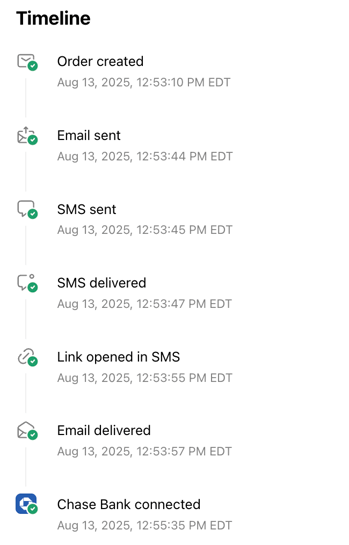
You can verify email and SMS delivery, as well as borrower activity, directly from the Order Timeline in the Truv Dashboard.
How to check
-
Log in to the Truv Dashboard.
-
Search for and open the relevant order.
-
On the right-hand side, review the Order Timeline.
What you’ll see
-
Email sent / Email delivered – Confirms the email invitation was delivered.
-
SMS sent / SMS delivered – Confirms the SMS invitation was delivered.
-
Link opened in SMS – Confirms the borrower clicked the link.
If the borrower proceeds, you’ll also see connection events (for example, Bank connected or payroll connected) in the timeline.